

Graphic designers
Start the design, skip the masking
Get a clean transparent PNG of any subject in seconds and bring it into your layouts, mock-ups and collages.
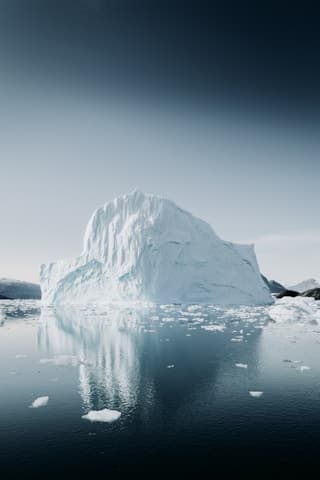
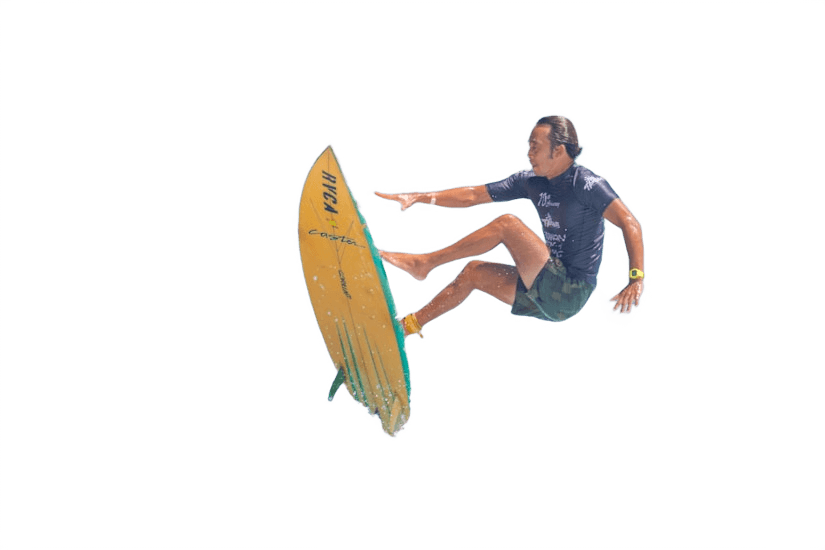 Background replaced
Built for graphic designers
Transparent PNG in seconds
Skip the manual selection for routine cut-outs and keep your time for the actual composition.
Try ideas quickly
Test a subject on different colours, gradients and photos in the editor before committing to a direction.
Flip and shadow built in
Mirror the subject to face your layout and add a drop shadow without leaving the browser.
How it works
- 1
Upload a photo
Drop any photo: JPG, PNG, WebP, HEIC (iPhone), AVIF, TIFF, GIF or BMP, up to 25 MB. You can also paste an image or image URL.
- 2
Background removed
The AI separates the subject in a few seconds. The preview is free.
- 3
Edit and download
Keep it transparent or add a colour, gradient, photo or blur, then download in HD with a credit.
Questions
- Can I open the result in Figma or Photoshop?
- Yes. Download a transparent PNG and place it in any design tool.
- Is the HD file the same size as my original?
- Yes, HD downloads keep the resolution of your upload. The free preview is smaller.
- What image types can I upload?
- Any common photo format works: JPG, PNG, WebP, HEIC straight from an iPhone, AVIF, TIFF, GIF and BMP. Clear separation between subject and background gives the cleanest edges.
Try it on one of your photos
Upload an image and see the background disappear in seconds. The preview is free.
Remove backgroundFree preview · no account needed
More use cases
- Car dealershipsGive every vehicle in your inventory the same clean, showroom-style backdrop.Learn more
- E-commerceWhite or transparent product photos that meet store guidelines.Learn more
- Marketplace sellersMake second-hand and resale listings stand out in a crowded feed.Learn more
- PhotographersSkip the masking and spend the time on the shoot instead.Learn more
- Marketing & socialCut-outs for ads, banners, thumbnails and social posts in seconds.Learn more
- Media & publishingIsolate people and objects for articles, covers and explainers.Learn more
- Profile picturesA polished headshot for LinkedIn, CVs and team pages.Learn more